Tello Circle Follower
Project Overview
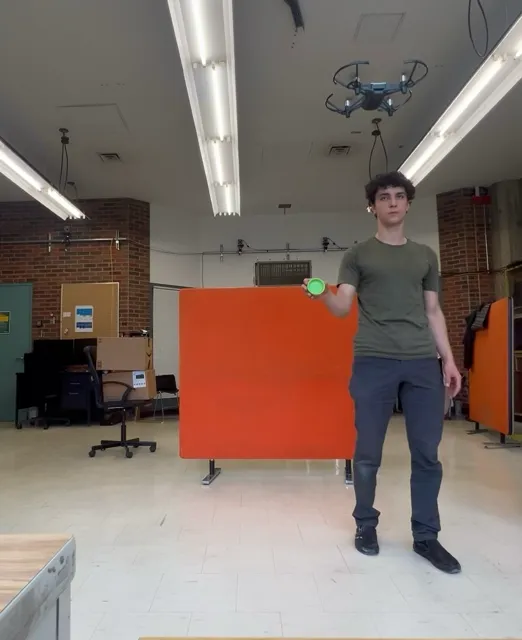
This project enables a Tello Boost Combo drone to autonomously follow a circular object using ROS 2 (Foxy) and OpenCV. It uses OpenCV to identify and track circular objects in the drone’s onboard camera field of view (FOV), and uses ROS2 to build a framework of nodes that use this information to control the drone along the x, y, and z axes.
ROS 2 and OpenCV are used to build a vision and control system. The system detects circles, tracks them across frames, reinitializes tracking to correct for drift, calculates offsets and relative sizes, and uses a PID controller to adjust the drone’s position accordingly.
The project builds on clydemcqueen’s tello_ros driver repo.
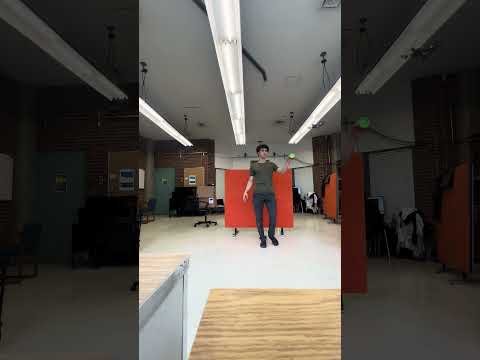
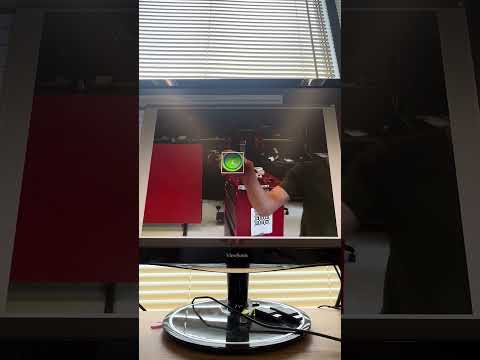
Click on each thumbnail to see demo videos of the project!
| Drone Following Bottle Lid | Rviz2 Visualization of Processed Images |
|---|---|
 |  |
Design Overview
| Node Name | Package | Description |
|---|---|---|
teleop_keyboard_node | tello_control | Manual keyboard control (movement + commands like takeoff/land). |
circle_tracker_node | tello_cv | Detects circles in camera frames and runs a tracker on detections. |
pid_controller_node | tello_cv | PID controller that centers/resizes the circle publishing on /cmd_vel. |
Here are the launch files in the project:
| Launch Name | Package | Description |
|---|---|---|
teleop_launch.py | tello_driver | Launches driver nodes to communicate with Tello. |
simple_launch.py | tello_gazebo | Launches Tello model in Gazebo simulation for testing. |
circle_tracker.launch.py | tello_cv | Launches circle tracking/PID nodes. |
Here are some important parameters to configure the algorithm:
Circle Detection (in circle_tracker.launch.py)
target_radius: Default60.0. Target radius in pixels of the target object in the camera feed to govern x-axis movement (distance from circle).scale: Default0.75. Ratio to scale down image before processing to speed up detection/tracking. Smaller scale (e.g. 0.5) = faster processing but less accurate detectionsmax_tracker_err: Default20. The error, in pixels, between the center of the tracked vs. detected circle before re-initializing
PID Controller (in pid_controller_node)
kp,ki,kd: Proportional, integral, derivative gains for control loop. (Currently hardcoded)
Here are the exposed topics:
| Topic Name | Message Type | Description |
|---|---|---|
/cmd_vel | geometry_msgs/msg/Twist | Movement commands to the drone. |
/circle_offset | geometry_msgs/msg/Vector3 | x/y offset from image center (z = radius). |
/image_raw | sensor_msgs/msg/Image | Raw input from Tello’s onboard camera. |
/image_circled | sensor_msgs/msg/Image | Processed image with detected circle overlay. |
Operation Instructions
Prerequisites: Clone the repo using the link on GitHub
git clone https://github.com/routabeta/tello_circle_follower.gitEnsure docker is installed.
Launch the container: Make sure you are in your workspace + the workspace is built by navigating to ./docker/ in the cloned repo and running:
docker compose up
colcon build
Connect to the Tello Drone:
Connect to Tello’s Wi-Fi network (TELLO-XXXXX) via your external Wi-Fi adapter (should be automatic if nmcli is set correctly).
- Start the ROS Nodes:
Connect to the Drone
ros2 launch tello_driver teleop_launch.pyFor Simulated Testing (Gazebo)
ros2 launch tello_gazebo simple_launch.pyLaunch Visualization & Control
rviz2 -d /root/tello_ros_ws/src/configs/rviz_config.rviz
ros2 run tello_control teleop_keyboard_node
ros2 launch tello_cv circle_tracker.launch.py target_radius:=60 scale:=0.75 max_tracker_err:=20
Use keyboard commands:
- Takeoff:
t - Land:
gor any number key 0–9 - Manual move: Use mapped keys from
teleop_keyboard_node
After takeoff, the drone should follow a circle placed in front of it.
Skills and Tools
I learned about:
- ROS 2 communication
- Networking
- Control theory
- Image processing and tracking
- Data visualization
I used these tools:
- ROS 2
- OpenCV
- Docker
- Network CLI tools